Secret Santa Invites That Spark Joy: Your Digital Template Guide
Why a Digital Animated Invitation Changes the Game
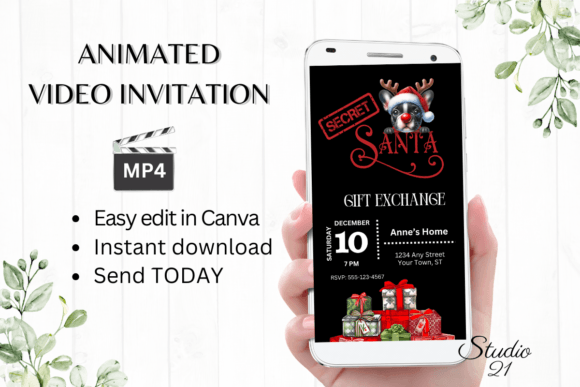
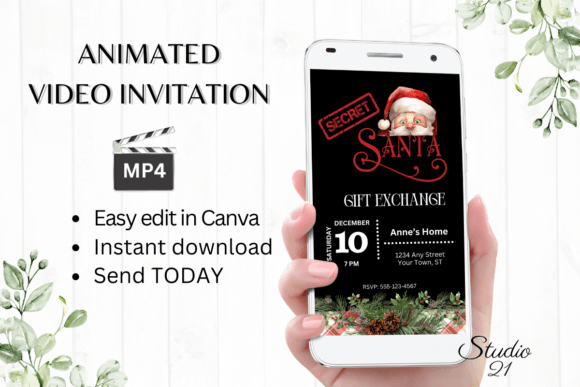
The holiday season is hectic. Between coordinating schedules, managing budgets, and figuring out who bought for whom, the last thing you want is to spend hours wrestling with outdated graphic design software just to invite people to a party. This is where the Secret Santa Party Invitation template comes in, offering a solution that bridges the gap between high-end design and practical usability. It isn't just about sending a message; it's about setting a mood instantly. An animated digital evite captures attention in a way that a static email or a generic text message simply cannot. When a recipient opens a message and sees a professionally crafted, moving graphic, it immediately signals that this event is worth attending. It elevates the gathering from a casual get-together to a curated experience before the first gift is even wrapped.
For the modern creative—whether you are a small business owner hosting a client appreciation party, a content creator gathering your community, or simply a friend organizing a fun night—visual communication is paramount. We live in a scroll-heavy world. A static image gets swiped past, but animation pauses the thumb. This specific template utilizes that psychology, providing a dynamic canvas that feels premium and thoughtful. The value here lies in the intersection of aesthetics and efficiency. You get the visual punch of a custom video without the weeks of back-and-forth with a motion graphics designer.
Practicality Meets Polish: The Canva Advantage
One of the biggest hurdles in design is the barrier to entry. Traditionally, creating a video invitation required software like Adobe After Effects or Premiere Pro, which come with steep learning curves and subscription fees. This template removes those obstacles entirely by leveraging Canva, a platform many of us already use for social media graphics and quick branding tasks. The workflow is incredibly streamlined: you receive a PDF with a direct link, click it, and the template opens immediately in your browser. There is no need to download bulky software, hunt for specific fonts, or worry about system compatibility.
This accessibility is crucial for visual consistency and brand recognition. If you are a business owner, you can ensure your party invite matches your existing brand identity. You can tweak the color palette to match your corporate colors or change the font style to match your logo design. Because it works on both desktop and mobile devices, you can make those edits while commuting or waiting for a coffee. The ability to download the final product as an MP4 file means you own the asset. You aren't locked into a specific platform's sharing rules; you can send it via WhatsApp, embed it in a website, or post it to Instagram Stories. This flexibility is a massive advantage for anyone managing multiple communication channels.
Visual Communication and Brand Identity
Typography and motion are the silent ambassadors of your brand. When you choose a premium font style or a specific animation speed, you are communicating personality. A playful, handwritten font style suggests a casual, intimate gathering, while a sleek, sans serif font implies a more modern, corporate affair. This template allows you to experiment with these nuances. You aren't just filling in blanks; you are making design decisions that affect how the recipient feels about the event.
Consider the readability of your message. A common mistake in invitation design is prioritizing style over substance. If the "Where" and "When" aren't legible, the invite fails. This template structure is designed with editorial design principles in mind, ensuring that the hierarchy of information—headings versus details—is clear. By changing the text effects and sizing, you can guide the viewer's eye exactly where it needs to go. This is practical application of modern typography; it’s not just about looking good, it’s about communicating effectively. For marketers and bloggers, this is a lesson in asset creation: every piece of content should serve a functional purpose while reinforcing the brand's aesthetic.
Expanding the Use Case: Beyond the Holiday Party
While the primary focus is the holidays, the versatility of a high-quality digital download extends far beyond December. Think of the template as a foundational design asset. By stripping away the specific "Secret Santa" text, you can repurpose the animation for a variety of marketing assets. It could become a flash sale announcement for an e-commerce store, a "New Drop" teaser for a clothing brand, or a countdown timer for a webinar. The animation captures the eye, and the editable text allows you to pivot the message entirely.
For packaging design or merchandise launches, a digital teaser is a powerful tool. You can use the animated video to show off a product in motion before the physical item arrives. This creates anticipation. Similarly, for social media graphics, video content consistently outperforms static images in algorithms. Having a library of editable video templates means you can produce content faster, keeping your feed active without burning out. It’s about working smarter, using creative fonts and motion to stop the scroll, and driving traffic to your web design or sales pages.
Tips for Font Pairing and Hierarchy
When you dive into the editor to personalize your Secret Santa Party Invitation, pay attention to font pairing. A good rule of thumb is to pair a decorative display font (used for the main headline) with a clean, highly legible body font for the details. For example, if the template uses a bold, festive script for "Secret Santa," consider switching the date and address text to a neutral serif font or a geometric sans serif font. This contrast creates visual interest and improves readability.
Don't be afraid to test different weights. Sometimes, simply making a font bold or light can change the entire feel of the invitation without changing the typeface itself. Also, consider the spacing. If you are adding a lot of text, you might need to adjust the line height to prevent the design from looking cramped. Remember, the goal is professional presentation. Even if you are a hobbyist or a crafter, treating your invitation with the same care as a brand identity project shows respect for your guests and elevates the perceived value of the event. Take the time to preview the animation loop; ensure the text appears on screen long enough for people to read it comfortably before it fades or moves.
Final Thoughts on Efficiency and Impact
In the end, the goal is to create an audience engagement moment with minimal friction. The combination of instant access, intuitive editing tools, and a high-impact visual format makes this approach to invitations a no-brainer for busy professionals and creatives alike. It allows you to focus on the event itself—planning the menu, buying the gifts, and enjoying the company—rather than stressing over design logistics. By utilizing these digital tools, you ensure your message isn't just seen, but felt, setting the perfect tone for a memorable celebration.